Raul Suarez
2025/03/12
5 / 5
Excellent book for .Net developers
Book guide and evaluation
Bruce Johnson
2 reviews
Published
pages
views
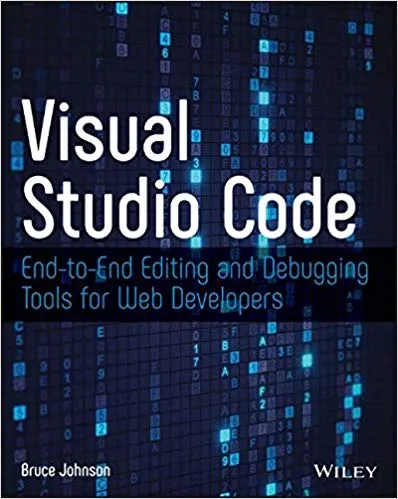
An Introduction to "Visual Studio Code: End-To-End Editing and Debugging Tools for Web Developers" Visual Studio Code (VS Code) is more than just a code editor; it has revolutionized the way developers work on projects of all sizes. This book, "Visual Studio Code: End-To-End
Before you read
Visual Studio Code (VS Code) is more than just a code editor; it has revolutionized the way developers work on projects of all sizes. This book, "Visual Studio Code: End-To-End Editing and Debugging Tools for Web Developers", is dedicated to unlocking the full potential of this versatile and powerful tool, guiding readers from beginner to advanced proficiency with VS Code. Whether you are a budding web developer or an experienced software engineer, this book equips you with the knowledge and techniques to make your coding workflow far more efficient and enjoyable.
In this book, we embark on a journey to explore Visual Studio Code, an editor that has earned a reputation for being lightweight yet feature-rich, customizable, and developer-friendly. The book begins by laying the groundwork with an introduction to the key features of VS Code, including its intuitive interface, command palette, and robust extensions marketplace.
As the chapters progress, you’ll delve into advanced themes such as customizing your workspace, using VS Code for debugging, and integrating source control systems like Git. The book thoroughly explores best practices for working with front-end and back-end development environments, offering tips to streamline web development workflows. Chapter by chapter, we uncover how to configure popular development tools such as Node.js, TypeScript, React, and more to fully leverage VS Code’s capabilities.
This book also highlights the collaborative features of VS Code, such as Live Share, which lets developers work together in real-time. Furthermore, you’ll learn how to tackle common obstacles like debugging complex applications using breakpoints, watching variables, and stack traces—all within the unified VS Code environment. By the end of the book, you will be armed with techniques to not only write cleaner, more efficient code but also optimize productivity through tailored configurations and shortcuts. Whether you are dealing with JavaScript, Python, or any other language, this book ensures you master every aspect of working in VS Code seamlessly.
"Coding is an art form, and Visual Studio Code is the canvas that empowers web developers to create masterpieces of logic and design."
"Every great development experience starts with the right tools, and VS Code isn’t just a tool; it’s a toolbox, a workshop, and a community hub rolled into one."
"To master Visual Studio Code is to take control of your coding destiny—no distractions, no inefficiencies, just pure productivity."
In an ever-changing landscape of web development tools, Visual Studio Code has positioned itself as a developer’s best friend. With its emphasis on speed, flexibility, and a rich ecosystem of extensions, it is no wonder VS Code has become the editor of choice for millions of developers worldwide. However, many users only scratch the surface of its capabilities. This book dives deep into the lesser-known but incredibly powerful features, helping both new and experienced developers tap into its full potential.
What sets this book apart is its balance between theory and practice. Rather than overwhelming readers with abstract concepts or unnecessary jargon, each chapter provides actionable techniques and practical examples tailored to real-world scenarios. It is a hands-on guide that ensures you remain confident and efficient in your day-to-day development tasks.
The book is also perfectly timed for modern web developers who are relying more than ever on collaborative tools and cloud-based workflows. By focusing on end-to-end editing and debugging capabilities, this book aligns with the growing demand for versatile, high-quality development environments. Mastering VS Code will not only improve your individual coding experience but also enhance your ability to collaborate effectively in team settings.
In conclusion, "Visual Studio Code: End-To-End Editing and Debugging Tools for Web Developers" is an indispensable resource for anyone aiming to elevate their development workflow. It’s more than a simple guide—it’s a roadmap to transforming your coding practice into an optimized and enjoyable process.
Your question is answered in the context of this title and author. Each answer uses 2 points.
2 reviews, 5.0 average out of 5
2025/03/12
5 / 5
Excellent book for .Net developers
2025/09/10
5 / 5
Good Books on VS Code
Sign in to publish a review.
Ask a focused question and learn from the community.
Related references that continue this learning path.
Svetlana Isakova,Roman Elizarov,Sebastian Aigner,Dmitry Jemerov