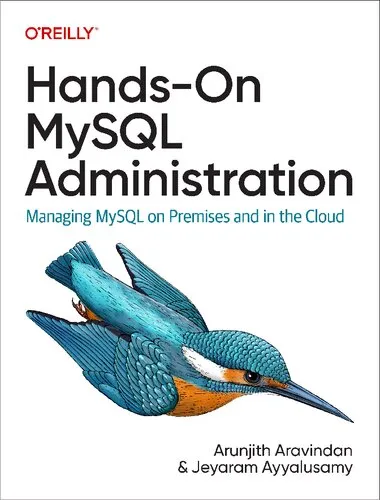
Hands-On MySQL Administration: Managing MySQL on Premises and in the Cloud
Arunjith Aravindan,Jeyaram Ayyalusamy
2024
View book
Book guide and evaluation
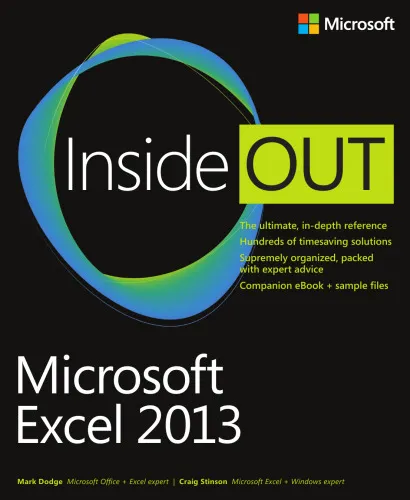
Mark Dodge, Craig Stinson
0 reviews
Published
pages
views
Microsoft Excel 2013 Inside Out Excel advanced techniques, spreadsheet mastery Deep dive into Microsoft Excel 2013 Inside Out — the authoritative guide for professionals mastering advanced spreadsheet skills. Analytical Summary Microsoft Excel 2013 Inside Out is a
Before you read
Microsoft Excel 2013 Inside Out is an in-depth exploration of one of the world’s most powerful data analysis tools, designed to meet the needs of experienced users, analysts, and academics seeking to enhance their mastery of Excel. Written by Mark Dodge and Craig Stinson, the book offers a meticulously organized framework for understanding the nuances of Excel 2013, from fundamental spreadsheet functions to the most sophisticated data modeling techniques available in the edition.
The book’s structure blends step-by-step guidance with strategic commentary, serving as both a reference manual and a learning resource. Each chapter breaks down complex Excel features—including PowerPivot integration, advanced charting, and macro development—into digestible segments so that even intricate processes become logically approachable.
Information about specific awards or accolades for this publication is unavailable, as no reliable public source confirms such details. Nevertheless, its standing among professional Excel users remains high due to its comprehensive scope and emphasis on practical, real-world applications.
At its core, Microsoft Excel 2013 Inside Out aims to empower readers to think beyond basic spreadsheets and embrace the full scale of Excel’s analytical, visualization, and automation capabilities.
Readers will learn how to:
• Navigate and customize the Excel interface to suit individual workflow needs.
• Utilize advanced formulas and functions to create dynamic, error-resistant models.
• Build intuitive, interactive charts and pivot tables that clarify complex data sets.
• Implement macros and VBA scripting to automate repetitive tasks.
• Integrate external data sources seamlessly for robust analysis.
"Mastery of Excel lies not in knowing every feature, but in understanding which feature creates the most value for your data." Unknown
"Excel is as much about storytelling as it is about calculation." Unknown
"Automate the mundane so you can focus on the meaningful." Unknown
For professionals seeking to transform data into actionable insight, Microsoft Excel 2013 Inside Out delivers a rare combination of breadth and depth. It is more than a technical manual—it is a mentor in print.
Academics will find its treatment of analytical concepts invaluable for research, while corporate analysts will appreciate the book’s emphasis on efficiency and accuracy. By blending clear explanations with strategic use cases, the authors demonstrate that Excel is a living tool—evolving alongside the needs of its users.
Whether your work involves finance, engineering, education, or policy analysis, understanding the advanced capacities of Excel 2013 can open new pathways to insight, productivity, and innovation.
Microsoft Excel 2013 Inside Out stands as a definitive reference for those committed to unlocking the full potential of Excel’s analytical power. Its authoritative approach ensures that serious readers can move confidently from foundational commands to advanced automation, all while preserving clarity and precision in their work.
If you are ready to elevate your spreadsheet craft—whether in academia, corporate analysis, or personal projects—this volume offers the knowledge and structure to guide your journey. Engage with the insights, apply the techniques, and share your evolving expertise with peers. The next step is simple: immerse yourself in Microsoft Excel 2013 Inside Out and join the community of professionals shaping data into decisions.
Your question is answered in the context of this title and author. Each answer uses 2 points.
0 reviews, 4.6 average out of 5
Sign in to publish a review.
Ask a focused question and learn from the community.
Related references that continue this learning path.
Arunjith Aravindan,Jeyaram Ayyalusamy