
Book guide and evaluation
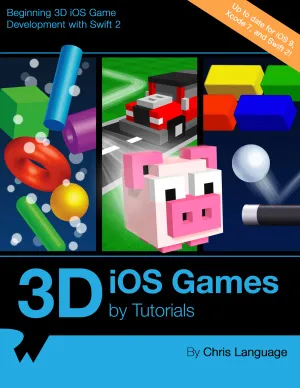
3D iOS Games by Tutorials: Beginning 3D iOS Game Development with Swift 2
Language Chris.
English
Unordered
Network
5.0 / 5
0 reviews
-
Published
382
pages
401
views
Razeware LLC, 2016. — 380 p. — ISBN: 978-1942878162. Code file uploaded hereLearn How to Make 3D iOS Games! Learn how to make 3D games in Swift, using Apple’s built-in 3D game framework: Scene Kit.Through a series of mini-games and challenges, you will go from beginner to advance
Before you read
What will you get from this book?
Razeware LLC, 2016. — 380 p. — ISBN: 978-1942878162. Code file uploaded hereLearn How to Make 3D iOS Games! Learn how to make 3D games in Swift, using Apple’s built-in 3D game framework: Scene Kit.Through a series of mini-games and challenges, you will go from beginner to advanced and learn everything you need to make your own 3D game! By the time you’re finished reading this book, you will have made 4 complete mini-games, including games similar to Fruit Ninja, Breakout, Marble Madness, and Crossy Road!Topics Covered in 3D iOS Games by Tutorials:Scene Kit: Get to know the basics with your first Scene Kit game project.Nodes: Use nodes with geometry and cameras to construct a 3D scene.Physics: Unleash the power of the built-in physics engine.Render Loop: Learn how you can leverage the Render Loop for updates.Particle Systems: Create massive explosions with the built-in 3D Particle Engine.Scene Editor: Create stunning 3D scenes with the built-in Scene Kit Editor.Cameras: Learn how to move the viewpoint around your game.Lights: Learn how to illuminatre your games with different types of lights.Primitives: Construct an entire game with just primitive shapes.Collision Detection: Learn how to detect when your game objects collide.Materials: Unleash reality, and learn about all the various types of textures.Reference Nodes: Leverage the power of reference nodes to built massive scenes.Transitions: Learn how to transition from one scene to another.Actions: Add animation with the built-in Action Editor.And much more, including: Shadows, Motion Control, Advanced Collision Detection Techniques and Audio.
Ask this book
Your question is answered in the context of this title and author. Each answer uses 2 points.
Sign in to ask the book assistant.
Reader reviews
0 reviews, 5.0 average out of 5
No reviews yet
If you have read this book, help the next reader with your experience.
Write a review
Sign in to publish a review.
Reader questions and answers
Ask a focused question and learn from the community.
Sign in to ask or answer a question.
No questions yet
Be the first to ask a clear, useful question.
What to read next
Related references that continue this learning path.
High performance MySQL: optimization, backups, and replication
Baron Schwartz,Peter Zaitsev,Vadim Tkachenko
2012
View book
Database and Data Communication Network Systems, Three-Volume Set:..
Cornelius T. Leondes
2002
View book